Google’s AI Is Now Calling Businesses About Pricing, Availability
Google is rolling out a new feature that’s changing the way customers can find and contact your business. Their Artificial Intelligence (AI) agent is making phone calls on behalf of users, and calling these businesses to get information about pricing, services, and availability. If you own a local business, this could potentially impact you— and you’ll need to understand what it means.
Google Is Trying To Be Your Customer’s Personal Assistant
Here’s how the feature works from a customer’s perspective. Someone searches for “pet groomers near me” or “roofers in Salt Lake City” on Google. As they scroll through the results, they now see an option that’s labeled “Let Google Call” or “Have AI check pricing”.
When they select it, they answer a few questions about what they need. Then Google’s AI does the legwork. It calls the businesses to gather that information, and then sends the customer a summary via email or text. No phone calls required from the customer.
If you’ve read my previous article about Google’s “AI Mode”, you’ll see this is a broader shift towards AI-powered search, and Google is likely going to add even more AI features into their search engine in the near future.
How It Works
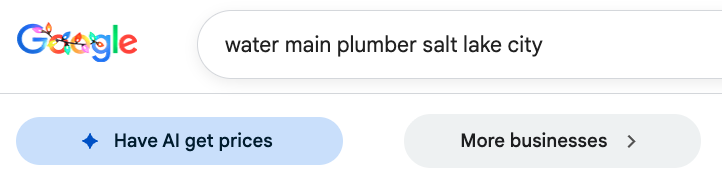
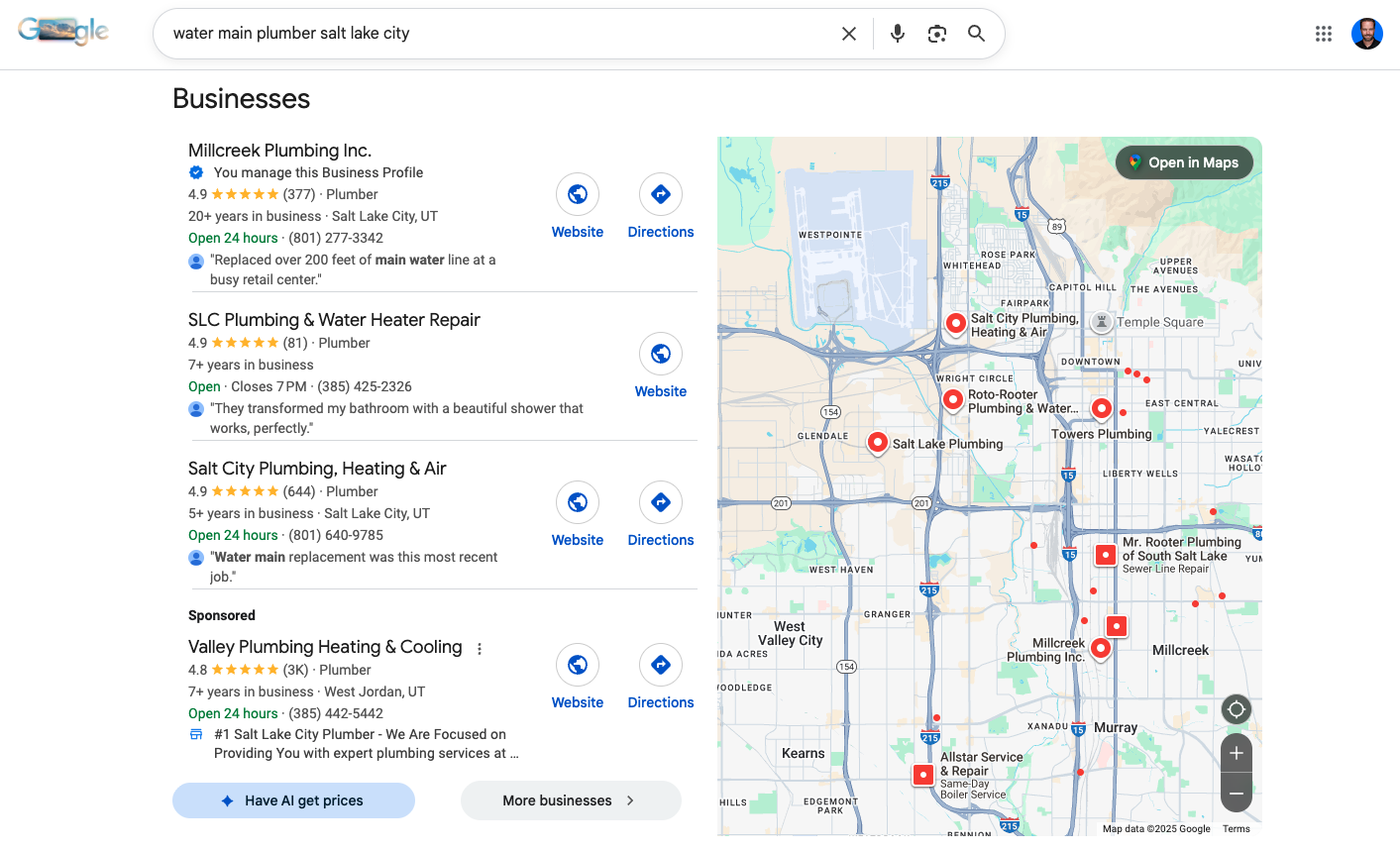
Here’s exactly what happens when a customer uses Google’s AI calling feature. I searched for “water main plumber Salt Lake City”:
Step 1: Customer sees the option. After searching, they spot a blue button that says “Have AI get prices” at the bottom of the business list.
Step 2: Google asks clarifying questions. The AI opens a form asking detailed questions: What kind of service (plumbing service, drain cleaning)? What type of service (repair, installation, maintenance)? What needs to be repaired (pipe leak, faucet, water heater)? Where is the service needed (kitchen, bathroom, whole house)? What type of property (single-family home, apartment, business)? When do they need it (within 48 hours, within a week, flexible)?
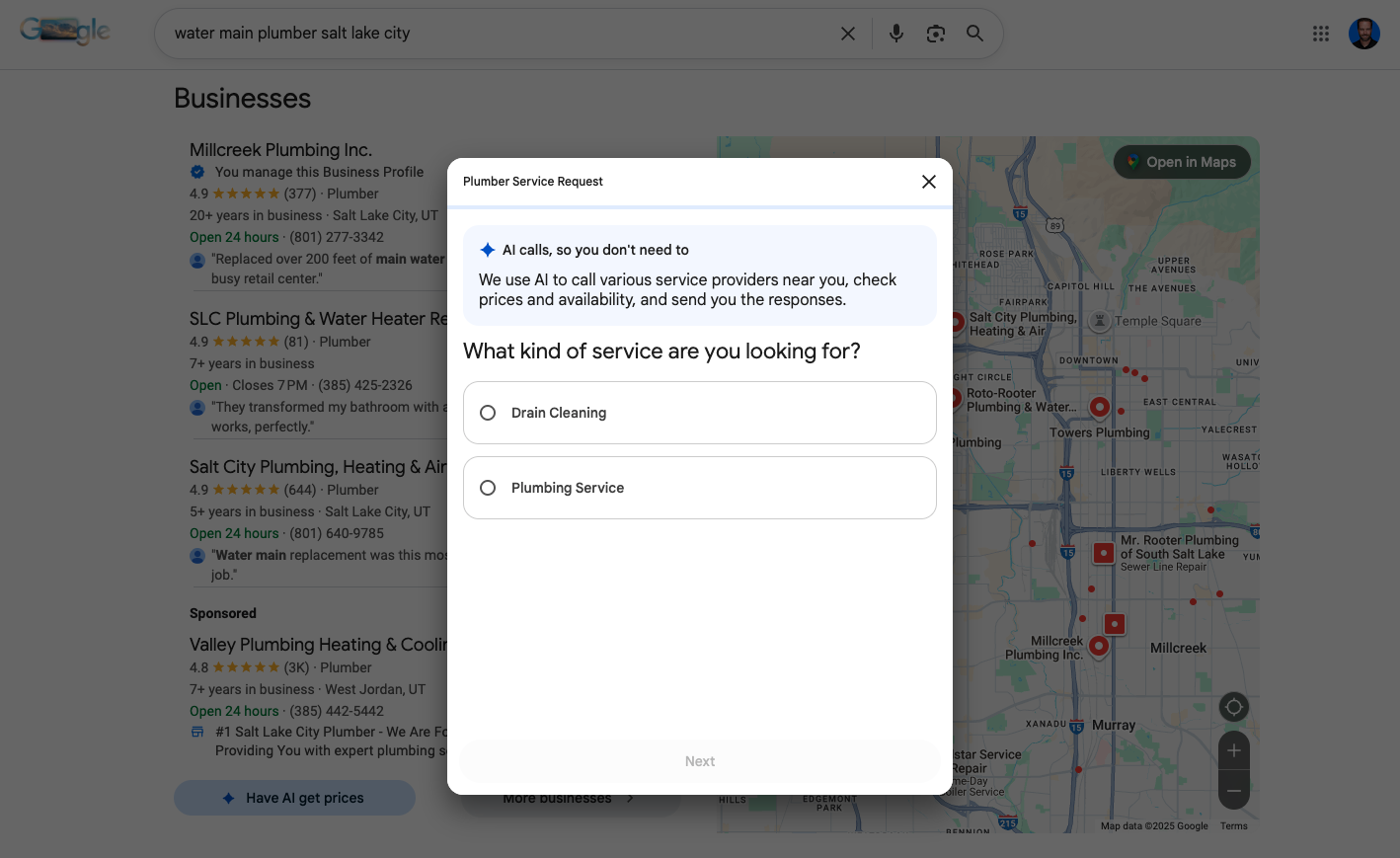
Step 3: Customer provides contact info. They choose how they want to receive results—email, SMS, or both. Google assures them their contact info won’t be shared with businesses.

Step 4: Customer specifies location. They enter their ZIP code so Google knows which service area to search.
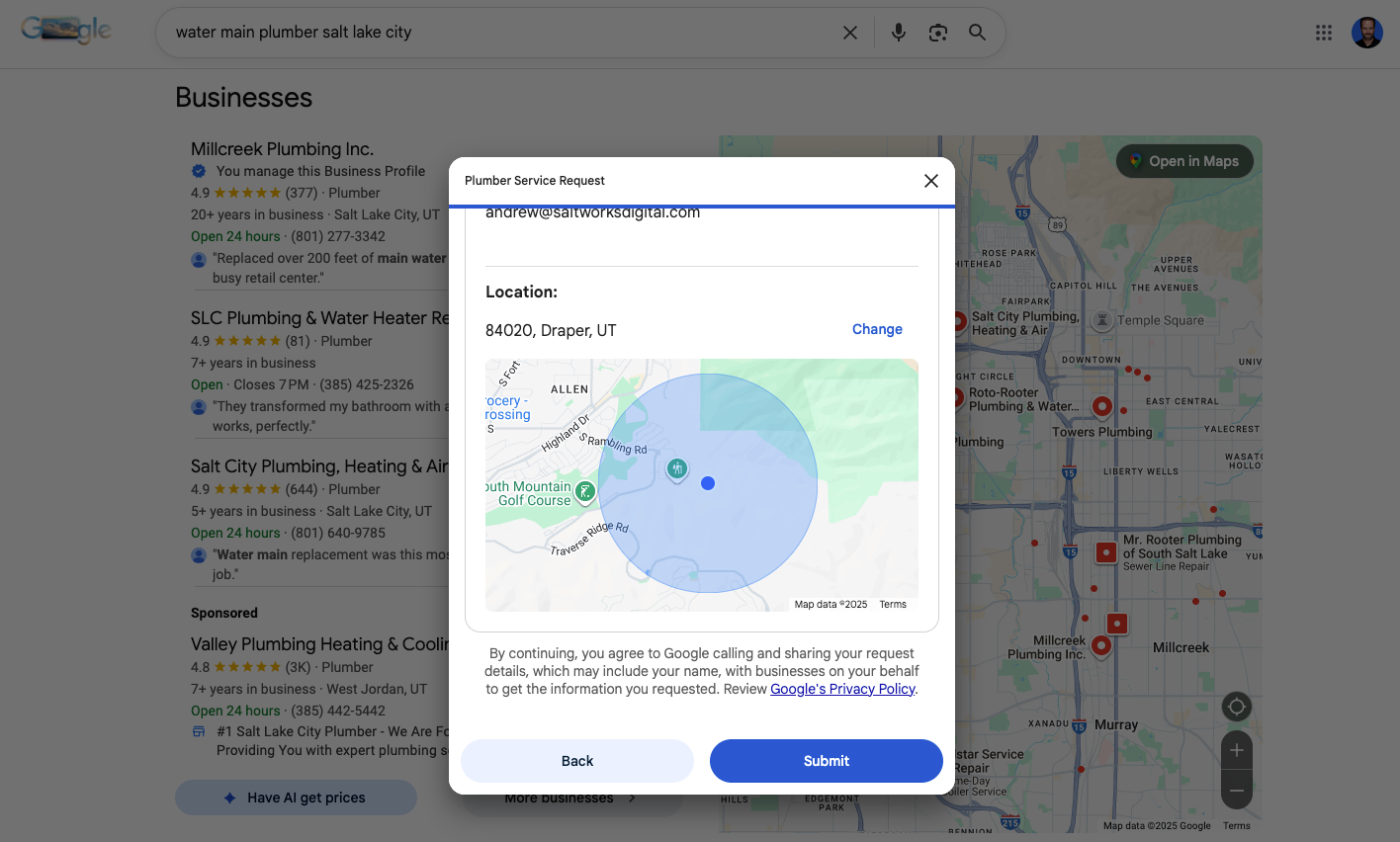
Step 5: Google makes the calls. Behind the scenes, Google’s AI calls relevant plumbers in that area, asking about pricing, availability, and services. It gathers information from multiple businesses.

Step 6: Customer gets results. Within hours, the customer receives text messages and/or emails with summaries. Each update includes the business name, phone number, website link, and specific information the AI gathered—like “availability towards the end of the week” and “estimates are free.”
Step 7: Customer can follow up. The customer can call the plumber directly using the contact info provided, or visit their website.
For the business, this means your phone rings with an incoming call from Google’s AI during business hours. How you respond—the information you provide, your availability, your professionalism—directly impacts whether that customer calls you next.
What You Can Control Right Now
You do have the ability to opt-out of this inside your Google Business Profile settings, but not participating could impact your visibility. Google is betting heavily on AI, and the local businesses that embrace it will have the advantage.
Instead of opting out, here’s how you can prepare:
Optimize your Google Business profile. Make sure each field is filled out and accurate. This includes your hours, services, photos, and description. Having complete and correct information is a critical local search ranking factor.
Make sure your team answers all phone calls. Or set up a system that does. These AI calls should be treated like any other customer inquiry.
Keep everything up to date. When you change your hours, update or create new services, or adjust pricing, update it everywhere. This includes your Google Business profile, your website, and your directory listings.
Train your staff. They’ll be talking to Google’s AI system just like a customer.
Ready to prepare your business for the AI-first future? Saltworks specializes in Google Business Profile optimization that goes beyond the basics. Let’s make sure your business is ready. Contact us today to audit your profile and ensure you’re capturing every opportunity Google’s AI is sending your way.